AHelp: AI Rewriter for Academic and Multilingual Paraphrasing (2026)
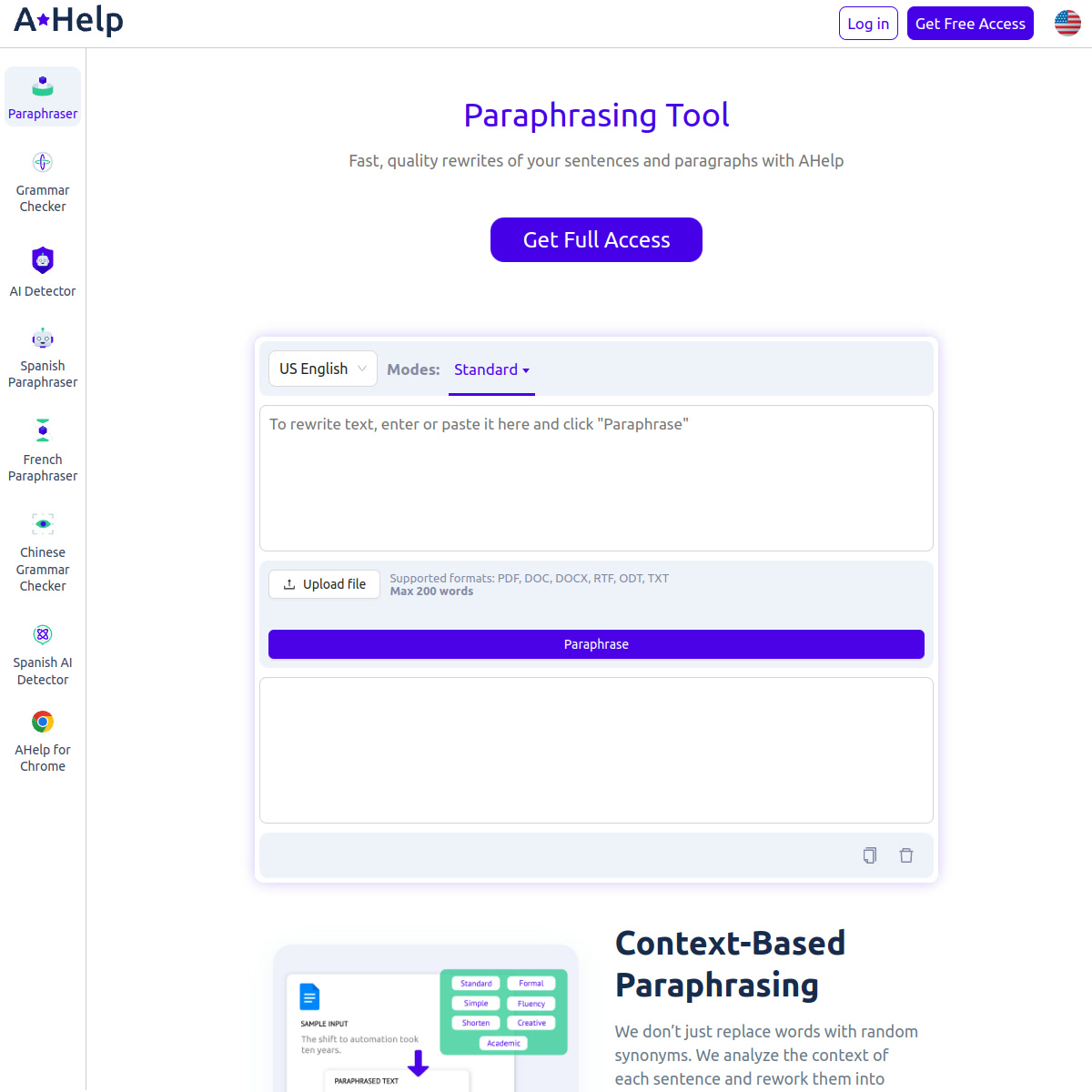
AHelp is a browser-based rewriting tool from AHelp that focuses on student writing, supports 9 languages, offers 7 rewrite modes, and pairs a limited free experience with browser extensions for Chrome and Edge. It is best for students, essay writers, and non-native English speakers who want guided rewrites with tone control rather than a bare-bones synonym spinner. It is less suitable for users who need generous free limits, no-signup access, or an API for workflow automation.
AHelp: Key Specs at a Glance
| Feature | AHelp |
|---|
| Primary use case | Academic and general-purpose text rewriting |
| Best for | Students, essay writers, and multilingual users |
| Access type | Web app plus Chrome and Edge extensions |
| Rewriting modes | 7 modes: Standard, Fluency, Formal, Academic, Simple, Creative, Shorten |
| Tone options | Formal, academic, simple, creative, concise |
| Supported languages | 9 languages |
| Free tier limit | 200 words per paraphrase in free mode |
| No signup required | No |
| Watermark on free | Not publicly documented |
| Daily free limit | Not publicly documented |
| Paid limit | 6,000 words per paraphrase on premium |
| Browser extension | Yes, Chrome and Edge |
| Mobile app | Not publicly documented |
| API availability | Not publicly documented |
| Plagiarism support | AHelp also offers separate plagiarism and AI detector tools |
| AI detector bypass claim | No explicit guarantee found |
Why AHelp stands out
- Clear mode design: AHelp makes the rewrite modes understandable instead of burying them behind vague labels. Standard and Fluency cover most everyday rewrites, while Academic and Formal make the tool more relevant for essays and coursework.
- Better long-document ceiling than many student tools: The premium version raises the per-request limit from 200 words to 6,000 words, which is enough for full essays, reports, and long-form drafts.
- Useful multilingual coverage: The official page lists 9 supported languages, which is enough for bilingual students or writers translating and simplifying work across a few major markets.
- Browser workflow advantage: Chrome and Edge extensions matter if you rewrite text inside Google Docs, web forms, LMS platforms, or article editors rather than only on a dedicated landing page.
Pricing and plan fit
AHelp uses a freemium model. The official pricing page shows a free plan at $0 per month, a premium tier at $9.95 per month or $49.95 billed annually at an effective $4.17 per month, and a higher tier at $19.95 per month or $99.95 billed annually at an effective $8.33 per month. For the paraphrasing tool itself, the practical difference is the jump from a 200-word free cap to a 6,000-word premium cap and access to the premium-only modes.
For one-off paraphrasing, AHelp is harder to justify than tools with no-signup access. Its paid tiers make more sense when you want the wider AHelp writing stack and browser add-ons, not just isolated text rewrites.
Limitations to know before you choose it
- Free usage is tight: A 200-word free cap is restrictive for essay paragraphs, article sections, or research summaries.
- Signup friction matters: The main calls to action point users toward registration, so it is not a fast anonymous option for quick rewrites.
- Quality still depends on mode choice: Shorten and Creative can help variation, but users still need to review accuracy, tone, and citation integrity for academic work.
- No reliable detector-evasion promise: AHelp talks about originality and avoiding accidental plagiarism, but there is no trustworthy promise that output will bypass Turnitin or AI detectors.
- Platform data is incomplete: No official public API, mobile app, or daily free usage ceiling was clearly documented on the reviewed pages.
Best for
- Students rewriting essay paragraphs into a more formal or academic register
- Writers who want a built-in browser extension instead of copying text between tabs
- Users who need multilingual rewriting across a defined but not huge language set
When not to choose AHelp
- Choose another tool if you need no-signup paraphrasing for quick one-off use.
- Choose another tool if your main requirement is a larger free limit than 200 words.
- Choose another tool if you need an officially documented API or automation workflow.
- Choose another tool if you are specifically hunting for AI-humanizer or detector-bypass positioning.
How AHelp fits real paraphrasing workflows
AHelp is strongest when the rewrite itself is only one part of a broader student workflow. The site bundles paraphrasing with grammar checking, AI detection, and plagiarism-related tools, which makes it more attractive to users already doing coursework review in one ecosystem. That same bundle is also the tradeoff: compared with cleaner standalone paraphrasers, AHelp feels more account-led and platform-led than frictionless.
Mode choice is the main value lever. Standard is the safest baseline, Fluency helps awkward phrasing, and Academic or Formal should be the first stop for coursework. Creative and Shorten are more situational and should be reviewed carefully because compression or stylistic variation can remove nuance from evidence-heavy writing.
FAQ
Is AHelp free?
Yes. AHelp has a free plan, but the paraphrasing tool is limited to 200 words per rewrite.
Do you need an account to use AHelp?
Yes. The reviewed paraphrasing flow pushes users to register, so this is not a no-signup tool.
How many rewrite modes does AHelp offer?
Seven. The official page lists Standard, Fluency, Formal, Academic, Simple, Creative, and Shorten.
Does AHelp support browser extensions?
Yes. AHelp officially links Chrome and Microsoft Edge extensions.
Can AHelp bypass AI detectors?
No guarantee. AHelp does not publicly document a dependable detector-bypass promise for its paraphrasing output.
What is the premium paraphrase limit?
6,000 words. That is the official premium per-request ceiling shown on the paraphrasing page.
Sources