AI Text Converter: AI Humanizer and Paraphrasing Tool for Bypassing AI Detection (2026)
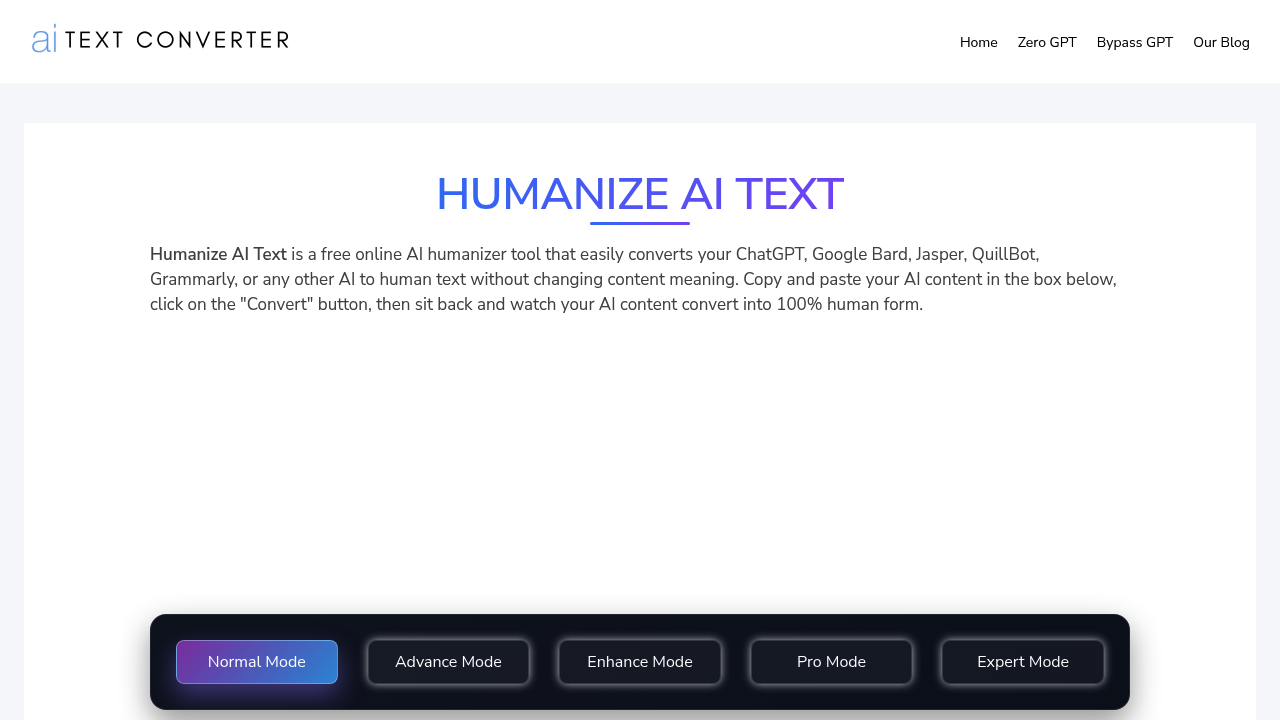
AI Text Converter (aitextconverter.com) is a free, browser-based AI humanizer tool that rewrites ChatGPT, Bard, Jasper, QuillBot, and other AI-generated text into natural-sounding human output — without requiring signup or payment. The tool operates in a single "Normal Mode," accepts paste-and-click input, and advertises unlimited free use with support for multiple languages. It is one of the few no-registration humanizers that positions itself primarily as an AI-to-human text converter rather than a general paraphrasing suite.
AI Text Converter suits content writers, bloggers, and students who regularly work with AI-generated drafts and need a quick, free conversion layer before publishing. Its main draw is zero friction: no account, no paywall, no daily cap advertised on the homepage. Writers who need advanced rewriting modes (e.g., Academic, Creative, Formal) or robust multilingual support will find it limited compared to tools like QuillBot or Undetectable.AI.
AI Text Converter: Key Specs at a Glance
| Feature | AI Text Converter |
|---|
| Primary use case | AI text humanization — converting AI-generated content to human-sounding output |
| Best for | Content writers, bloggers, students handling AI-generated drafts |
| Access type | Web app (browser-based) |
| Rewriting modes | 1 mode: Normal Mode (no additional modes documented) |
| Tone options | Not publicly documented |
| Supported languages | Multiple languages (exact count not publicly documented) |
| Free tier limit | Advertised as unlimited; no per-request word/char cap disclosed |
| No signup required | Yes — fully accessible without account |
| Watermark on free | Not publicly documented |
| Browser extension | No |
| Mobile app | No |
| API availability | Not publicly documented |
| Plagiarism check | No built-in plagiarism checker |
| AI detector bypass | Claimed; independently unverified — results may vary |
| Pricing model | Free (no paid plans found on official site) |
| Paid plans | None publicly documented |
What AI Text Converter Does Well
Zero Friction: No Signup, No Paywall
AI Text Converter removes every barrier to first use. There is no account required, no email confirmation, and no usage cap disclosed on the homepage — you paste text, click "Convert," and receive rewritten output immediately. For one-off humanization jobs or casual users who refuse to share their email for a paraphrasing tool, this is a genuine advantage over QuillBot (which gates output quality behind account creation) or Undetectable.AI (which requires signup even for trial use).
Broad Source Compatibility
The tool explicitly supports text generated by ChatGPT, Google Bard, Jasper, QuillBot, Grammarly, and other AI writing tools. Unlike some humanizers that are optimized primarily for GPT output, AI Text Converter positions itself as source-agnostic. For users who switch between multiple AI writing assistants, this broad compatibility reduces the need to test multiple humanizer tools.
Simple, Readable Output Interface
The interface is intentionally minimal: a single text input box, one action button, and clean output. There are no overwhelming settings, no mode dropdowns, and no upsell modals interrupting the workflow. For non-technical users and students who are not comfortable with complex writing tool interfaces, this simplicity lowers the cognitive load of the humanization step.
AI Detection Bypass Focus
The tool's stated purpose — converting AI text to pass detection tools — is clearly communicated. The homepage references AI detectors like Turnitin by implication and positions humanized output as improving SEO-friendliness and reducing detection risk. For content writers concerned about search engine AI content signals, this is a relevant use-case framing that more general paraphrasers do not emphasize as explicitly.
Known Limitations
- Single rewriting mode only: AI Text Converter offers one mode ("Normal Mode") with no Academic, Creative, Fluency, or Formal alternatives. Writers who need tone-specific output for different publishing contexts — academic papers, marketing copy, casual blog posts — will hit a hard ceiling.
- No free tier details disclosed: Despite advertising "unlimited" use, the tool does not publish character or word limits per conversion. Users have no way to know in advance whether bulk-length documents (1,000+ words) will be processed in one pass or silently truncated.
- AI detection bypass not independently verified: The site claims humanized output passes AI detectors, but provides no third-party test data, GPTZero scores, or Turnitin results as evidence. In practice, AI detection bypass quality varies per input text length, complexity, and the detector used — output may still be flagged.
- Output quality on technical and specialized text: Simple sentence restructuring tools often produce awkward phrasing or subtle meaning drift when processing domain-specific content (legal, medical, academic). AI Text Converter does not document how it handles technical terminology or preserves nuanced meaning in specialized fields.
- No browser extension or API: There is no documented Chrome extension, Firefox add-on, or API. Users who want in-context rewriting (e.g., directly inside Google Docs or WordPress) must copy-paste manually, which is inefficient for high-volume workflows.
- Language support depth unknown: The site claims "multiple language support" but does not list specific languages or confirm output quality parity between English and other languages. Non-English users cannot verify in advance whether their language will be handled well.
Best For: Who Should Use AI Text Converter
- Bloggers and content writers who use AI tools (ChatGPT, Bard) to generate first drafts and need a fast, free humanization pass before publishing — without committing to a paid tool subscription.
- Students who work with AI writing assistants for draft generation and need to convert output to more natural-sounding text for submission or self-review — understanding that academic AI detection bypass is not guaranteed.
- Non-native English speakers using AI to write in English who want a secondary pass to make output sound more natural before sharing with colleagues or publishing.
- Casual one-off users who need a quick humanization job without creating another account or starting a free trial.
Who Should Look Elsewhere
- Academic writers who need reliable Turnitin/GPTZero bypass — AI Text Converter does not provide verified bypass results. Tools like Undetectable.AI or HIX Bypass offer more transparent test data and are purpose-built for academic AI detection circumvention.
- Writers needing multiple rewriting modes or tone control — if you need Academic, Formal, Creative, or Fluency modes to tailor output for specific contexts, QuillBot (7 modes) or Wordtune are better-documented alternatives.
- Developers or teams needing API integration or bulk processing — without a public API or documented rate limits, AI Text Converter cannot be integrated into automated pipelines or content management workflows.
- Non-English-first users who need verified multilingual paraphrasing quality — the undisclosed language depth makes it unreliable for professional multilingual content work.
Output Quality Analysis
AI Text Converter operates with a single "Normal Mode" and does not offer configurable output styles. Based on the tool's stated approach — using "advanced algorithms to analyze content and produce output that mimics the way humans write" — the output targets general readability rather than domain-specific accuracy.
Short Sentences and Simple Paragraphs
Best for: Blog intros, social media captions, and simple informational text. The tool performs most predictably on short, declarative sentences where meaning is simple and context is self-contained. Restructuring risk is low for this input type.
Long-Form or Technical Content
Caution advised: Longer paragraphs and technical texts introduce higher risk of meaning drift — where the original nuance or domain-specific terminology is softened or distorted in the rewrite. Users processing 500+ word blocks should review output carefully before publishing.
AI-Generated Boilerplate Text
Primary use case: The tool is specifically designed for AI-generated content patterns (repetitive phrasing, predictable structure). For this input type, the humanization pass is most targeted and likely to produce measurable difference in phrasing naturalness compared to the source text.
Pricing & Cost at Scale
Free Tier
Fully free — no paid plans are documented on the official site. There is no signup required. No per-conversion word limit is published, though actual processing limits for very large texts are unverified. No watermark is mentioned.
Paid Plans
None publicly documented as of the time of this review. The site presents itself as entirely free. If this changes, check the official homepage for updates.
Pricing information is subject to change. Verify current details at aitextconverter.com.
Getting Started
- Visit the tool — go to aitextconverter.com. No account creation or login is required.
- Paste your AI-generated text — copy the output from ChatGPT, Bard, Jasper, or any other AI writing tool into the input box labeled "Please Enter Your AI Generate Content Into The Box Below."
- Click "Convert" — the tool processes your text in Normal Mode and returns humanized output.
- Review and copy the output — read through the result for any awkward phrasing or meaning drift before using it. Especially check for tone shifts in technical or domain-specific sections.
- Test with an AI detector (optional) — if your use case requires passing a specific AI detector, run the humanized output through GPTZero or Originality.AI to verify results before submission.
Pro tip: For best results, process shorter blocks (200–400 words) rather than entire articles at once. This reduces the chance of meaning drift in complex passages and makes it easier to spot where the output has diverged from your intent.
What Users Are Saying
Community sentiment around AI Text Converter is mixed: users appreciate the zero-friction, no-signup access, but note that output quality varies and the single-mode approach limits flexibility for professional content workflows.
- Community discussions: not found on verified Reddit threads specific to aitextconverter.com at the time of this review.
What users praise: Speed, simplicity, and the ability to use without creating an account. The free, unrestricted access is a standout for casual users.
Common frustrations: Lack of tone or mode options; uncertainty about whether output will pass specific AI detectors in academic contexts; no transparency about processing limits for long documents.
Have you tried AI Text Converter? Share your experience in the review section below.
FAQ
Is AI Text Converter free?
Yes — AI Text Converter is fully free. No paid plans are documented on the official site. There is no paywall, no trial period, and no signup requirement.
Does AI Text Converter require signup or account creation?
No — the tool is fully accessible without registration. You can paste text and convert it immediately without providing an email address or creating an account.
Does AI Text Converter bypass AI detectors like Turnitin or GPTZero?
Not guaranteed. The site claims to convert AI text to human-sounding output, but does not provide verified test results against specific detectors like Turnitin, GPTZero, or Originality.AI. Users relying on detection bypass for academic submissions should independently verify output with the relevant tool before submitting.
How many languages does AI Text Converter support?
The site states "multiple languages" but does not publish a specific list of supported languages or confirm quality parity between English and other languages. The exact number is not publicly documented.
What is the word or character limit on the free plan?
Not publicly documented. The homepage advertises "unlimited" use, but no per-conversion character or word limit is disclosed. Very long documents (1,000+ words) should be tested in segments to confirm processing behavior.
Is AI Text Converter good for academic writing?
With caution only. The tool can rewrite AI-generated text to sound more natural, but it offers a single rewriting mode with no Academic-specific tone option. For academic submissions where Turnitin detection is a concern, use a verified bypass tool and always review output for meaning accuracy before submitting.
Does AI Text Converter have a browser extension or mobile app?
No — there is no documented Chrome extension, Firefox add-on, or iOS/Android app. The tool is web-only and requires manual copy-paste to use.
Sources