HumanizeAI.io Paraphraser: AI Rewriter for Human-Like Academic and Marketing Copy (2026)
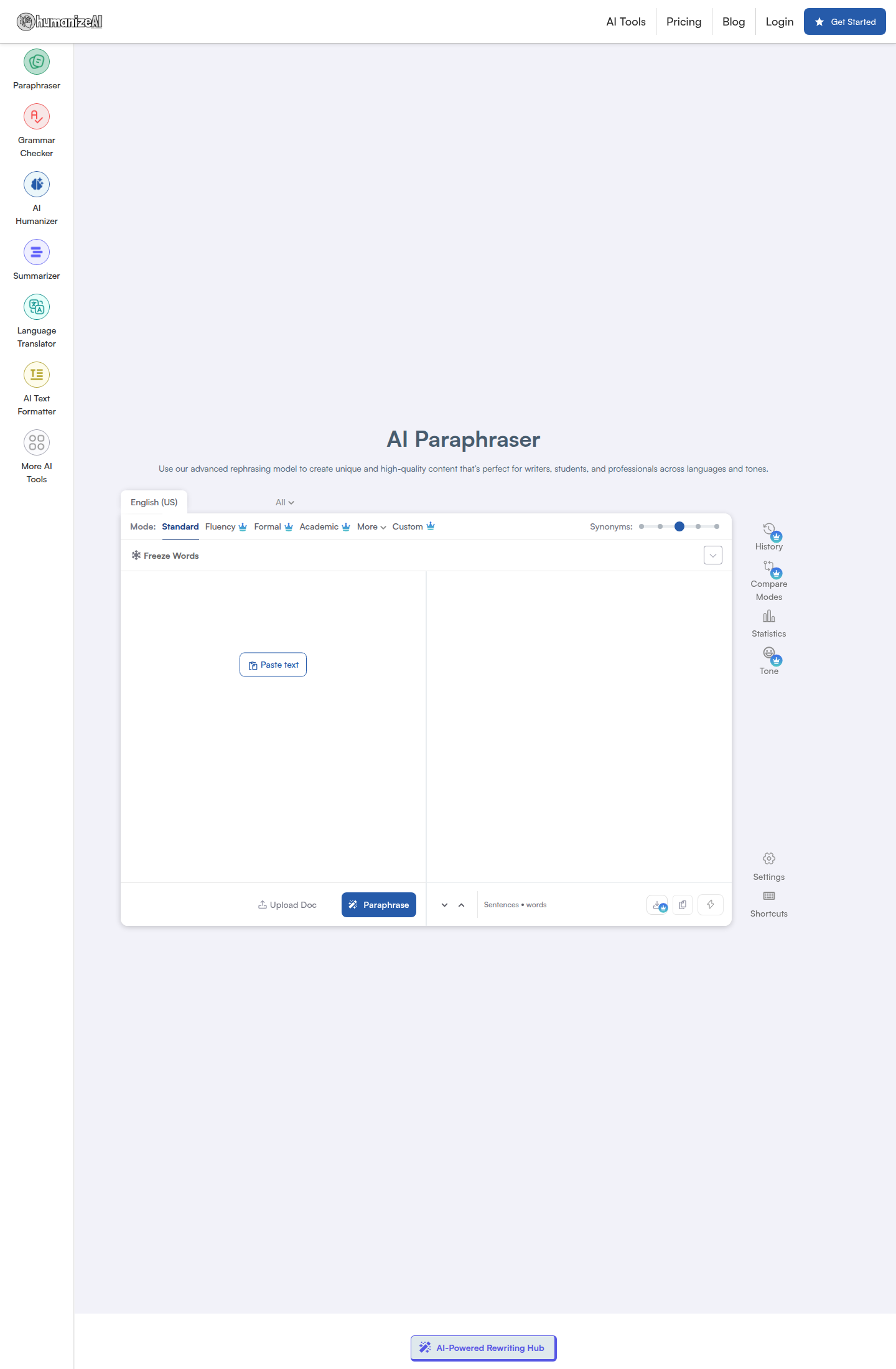
HumanizeAI.io Paraphraser is a browser-based AI rewriter by HumanizeAI.io that combines classic paraphrasing with humanizer-style controls such as rewrite modes, frozen keywords, comparison view, and multilingual output. It is built for students, bloggers, marketers, and non-native English speakers who want to rephrase text quickly without creating an account first. The biggest differentiator is its combination of a no-signup free tier, 25+ language support, and multiple rewrite modes that let you move between simpler, more formal, more academic, or more creative output. It is less suitable if you need citation-aware academic writing or a deeply documented API.
HumanizeAI.io Paraphraser: Key Specs at a Glance
| Feature | HumanizeAI.io Paraphraser |
|---|
| Primary use case | Sentence and paragraph rewriting with humanized output |
| Best for | Students, bloggers, marketers, and non-native English speakers |
| Access type | Web app |
| Rewrite modes | Standard, Fluency, Formal, Academic, Simple, Creative, Expand, Shorten, plus Custom mode |
| Tone controls | Formal, academic, creative, fluency, custom instructions |
| Supported languages | 25+ languages including English, Spanish, French, German, Hindi, Ukrainian, and Japanese |
| Free tier limit | Up to 200 words per request and 3 requests per day without signup |
| No signup required | Yes, for the limited free tier |
| Watermark on free | Not publicly documented |
| Browser extension | Not publicly documented for the paraphraser |
| Mobile app | Not publicly documented |
| API availability | Not publicly documented |
| File upload | Yes, DOCX, TXT, and PDF upload mentioned on the tool page |
| Keyword freeze | Yes, with larger limits on paid plans |
| Pricing model | Freemium subscription |
| Paid plans | Standard from $4/month yearly, Premium from $6/month yearly, Elite from $7/month yearly |
What HumanizeAI.io Paraphraser Does Well
Strong mode variety for different rewrite jobs
HumanizeAI.io is more flexible than many free paraphrasers because it does not stop at one generic rewrite button. You can switch between Standard, Fluency, Formal, Academic, Simple, Creative, Expand, and Shorten, which makes it easier to match the job to the text. Academic mode is more useful for essays and research writing, while Creative and Expand are better for blog intros, ad copy, and idea development.
No-signup access lowers friction for one-off rewrites
The free tier works without an account, which matters for users who only need a quick paraphrase instead of a full writing platform. The practical limit is not truly unlimited because the pricing page shows up to 200 words per request and 3 requests per day on the free plan, but that is still enough for short paragraphs, emails, and thesis edits. This makes it friendlier than tools that force sign-up before any real usage.
Keyword freezing is useful for technical and brand-sensitive text
The Freeze Words feature is a real workflow advantage when you need product names, legal terms, citation phrases, or technical vocabulary to stay untouched. Many simple paraphrasers accidentally mutate brand names or key nouns, creating cleanup work afterward. HumanizeAI.io reduces that risk by letting you protect selected words and phrases before you run the rewrite.
25+ language support broadens its reach beyond English-only users
The tool explicitly supports 25+ languages and exposes region-specific English variants as well as languages such as Spanish, French, German, Hindi, Polish, Portuguese, Ukrainian, and Japanese. That makes it more useful for multilingual editing than English-first paraphrasers with vague global claims. For ESL users, the combination of Fluency mode and language switching can be more valuable than raw creativity features.
Known Limitations
- Free access is more limited than the headline implies: the page markets the tool as free and unlimited, but the pricing page shows a stricter real limit of 200 words per request and 3 requests per day for no-signup users.
- Output quality will vary by mode and prompt: aggressive rewriting can improve uniqueness, but it can also shift emphasis or make some sentences sound less natural, especially in nuanced academic text.
- API and deep documentation are missing: if you need developer workflows, stable integrations, or well-documented enterprise controls, the public site does not provide enough information.
- Humanizer positioning creates scope blur: this is not a pure paraphrasing-only product, so some of its messaging focuses on humanizing AI text rather than classic paraphrase quality.
- AI detector bypass is not guaranteed: the product is positioned around more human-like output, but no honest tool can promise reliable detector evasion for academic compliance.
- No public mobile app or browser extension proof for this workflow: the tool is clearly web-based, but dedicated app or extension support for the paraphraser was not publicly confirmed.
Best For: Who Should Use HumanizeAI.io
HumanizeAI.io is best for people who want quick web-based rewriting with more control than a simple synonym spinner. Students can use it to simplify drafts and vary repetitive phrasing. Bloggers and content marketers can repurpose intros, product descriptions, and outreach copy. Non-native English speakers get value from the fluency and formal modes, while professionals can use keyword freezing to preserve important terms in reports or client-facing writing.
When Not to Choose HumanizeAI.io
Skip it if you need a citation-aware academic assistant that can work directly from research papers, because AnswerThis or Paperpal-style research products are better suited to that job. It is also not the strongest fit if you want a transparent enterprise API, long documented request limits, or pure detector-evasion positioning. For users who mostly rewrite long documents above 200 words at a time, the free tier will feel restrictive and push you toward a paid plan quickly.
Mode Fit Analysis
The most interesting part of HumanizeAI.io is that the modes are not cosmetic. Standard is the safest choice when you want minimal drift from the original meaning. Fluency works best for ESL cleanup, where the goal is smoother syntax rather than heavier restructuring. Formal and Academic are the strongest options for essays, reports, and professional communication, while Creative is better reserved for blog hooks, ad angles, and more expressive copy. Expand and Shorten add lightweight editing utility that many paraphrasers do not include in the same interface.
That mode spread also shows the product's real positioning: it sits between a classic paraphrasing tool and a broader text-refinement workspace. If your workflow involves repeated line-by-line revision, keyword protection, and comparing rewritten text against the original, HumanizeAI.io feels more useful than tools that only return one blunt rewrite. If you only want the fastest possible one-click academic paraphrase, simpler dedicated competitors may feel more focused.
Pricing
| Plan | Price | What stands out |
|---|
| Free | $0 | Up to 200 words per request, 3 requests per day, no signup required |
| Standard | $4/month billed yearly (shown as $20 monthly equivalent before discount) | 600,000 words per year, 1,000 words per request, 3 frozen keywords per request |
| Premium | $6/month billed yearly (shown as $30 monthly equivalent before discount) | Unlimited words per month, 2,000 words per request, 6 frozen keywords per request |
| Elite | $7/month billed yearly (shown as $40 monthly equivalent before discount) | Unlimited words per month, 3,000 words per request, 12 frozen keywords per request |
The pricing structure suggests a strong value proposition for users who rewrite often. Once you move past short free-tier testing, the Premium plan is the practical sweet spot because it removes the main bottleneck: request size and monthly volume. For occasional users, though, the difference between the tool's marketing language and the real free limits is important to understand before you rely on it.
Getting Started
- Open the paraphraser page and paste your text or upload a DOCX, TXT, or PDF file.
- Select the language and choose the best mode for the task: Standard, Fluency, Formal, Academic, Creative, Expand, or Shorten.
- If specific terminology must stay intact, add those words to Freeze Words before generating output.
- Run the rewrite and compare the result against the original to catch meaning drift or awkward substitutions.
- If the free limit is too restrictive for your normal workload, move to a paid plan with larger per-request caps.
FAQ
Is HumanizeAI.io free?
Yes, but only in a limited way. The public pricing page shows a free tier with up to 200 words per request and 3 requests per day without signup.
Do I need to create an account?
No, not for the basic free tier. You only need to sign up if you want higher limits, faster processing, and premium features.
How many rewrite modes does it have?
At least eight named modes are visible on the tool page: Standard, Fluency, Formal, Academic, Simple, Creative, Expand, and Shorten, plus a Custom mode input.
Does it support multiple languages?
Yes. HumanizeAI.io states support for 25+ languages, including several regional English variants and languages such as Spanish, French, German, Hindi, Polish, Portuguese, Ukrainian, and Japanese.
Can it bypass AI detectors?
No reliable promise is documented. The tool aims to make text sound more human, but that is not the same as guaranteed AI detector evasion.
Is it good for academic writing?
Yes for rewriting and fluency improvement, especially with Academic mode, but not as a replacement for citation-backed research tools. You still need to verify factual claims and references yourself.