

Better Synonyms
Enhance your writing by finding alternative words and phrases to improve clarity and creativity.
Free
A simple and fast web-based utility for rewriting text without the need for registration or a subscription.
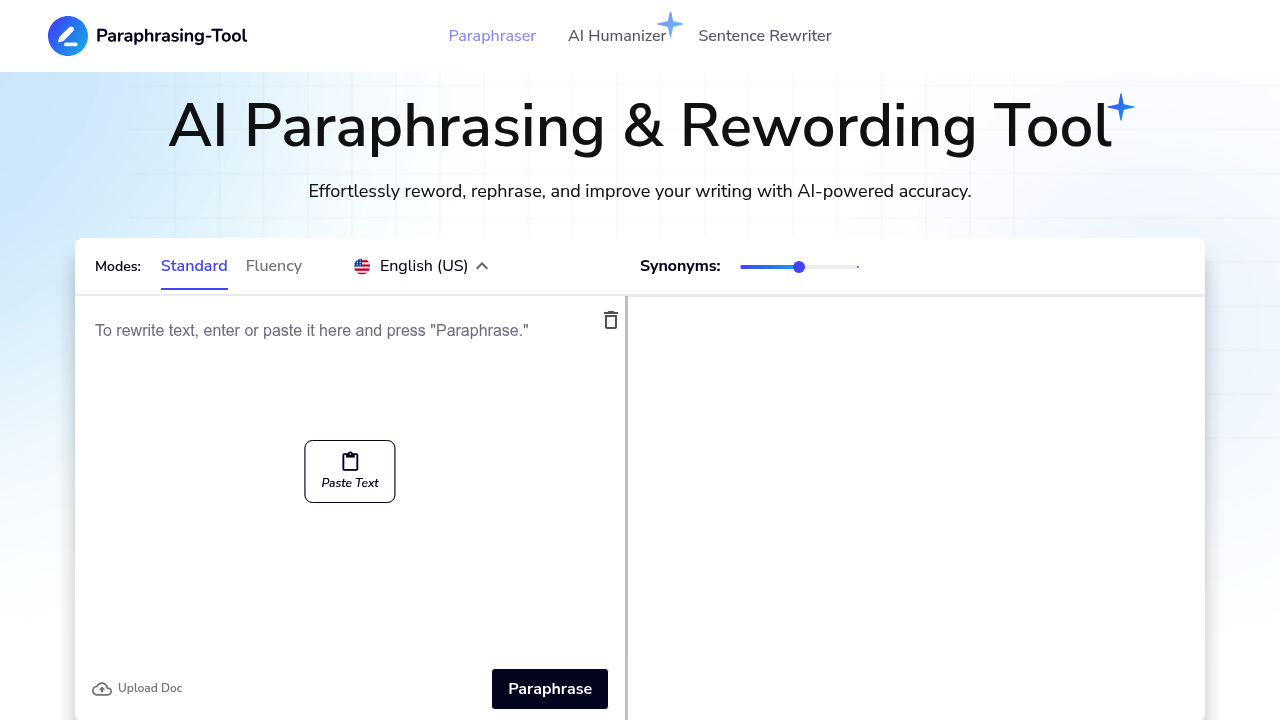
Paraphrasing Tool (paraphrasing-tool.com) is one of the most established and straightforward web-based utilities for rewriting text. Designed with a focus on simplicity and ease of use, it serves as a reliable resource for students, writers, and professionals who need to quickly rephrase sentences or entire paragraphs without the complexity of modern AI dashboards. The tool's primary goal is to help users avoid plagiarism and improve the readability of their content by providing immediate, context-aware synonyms and structural changes.
Unlike many newer AI writers that require extensive onboarding, Paraphrasing Tool offers a "no-frills" experience. It is optimized for speed, allowing users to paste their text and get results instantly. While it maintains a classic interface, its underlying algorithms have been updated to ensure that the generated text remains coherent and retains the original meaning, making it a staple in the toolkit of anyone dealing with high volumes of text modification.
Paraphrasing Tool follows a predominantly free-to-use model, making it highly accessible to a broad audience. It does not require a subscription for its core paraphrasing functions.
To begin using the tool, simply navigate to the homepage. There is no account creation process required to start rewriting. You are met with two main text boxes: one for your original text and one for the paraphrased result. This "input-output" design is intentional, catering to users who value their time and need a tool that works immediately upon landing on the site.
For the best results with Paraphrasing Tool, it is recommended to input one paragraph at a time. This allows the tool to focus more accurately on the context of each sentence. After the tool generates a response, always perform a quick manual review to ensure that specific technical terms or proper nouns haven't been swapped incorrectly. If the output isn't quite right, try re-running the tool or slightly modifying the input sentence to trigger a different variation.
Pros:
On communities like r/ENGLISH and r/AIToolTesting, users often recommend Paraphrasing Tool as a reliable fallback for quick tasks. It is frequently praised for being "the easiest tool to use" when you don't want to deal with the marketing funnels of larger AI platforms. While some users note that the output can occasionally require a bit of polishing, the consensus is that it is an invaluable free resource for students and bloggers on a budget.
Paraphrasing Tool (paraphrasing-tool.com) stands out in a crowded market by doing one thing exceptionally well: providing fast, free, and accessible text rewriting. By removing the need for accounts and subscriptions, it has become a go-to destination for millions of users worldwide. It remains a top recommendation for anyone needing a quick, efficient, and cost-effective way to refresh their writing.
Enhance your writing by finding alternative words and phrases to improve clarity and creativity.

Generate high-quality, engaging content tailored to your needs, including articles, blog posts, and social media updates, all optimized for your target audience.

Transform your text into a polished and refined version, enhancing clarity and style while maintaining the original meaning.