RewritePal: Free AI Paraphrasing Tool with Tone Control & 10,000-Character Limit (2026)
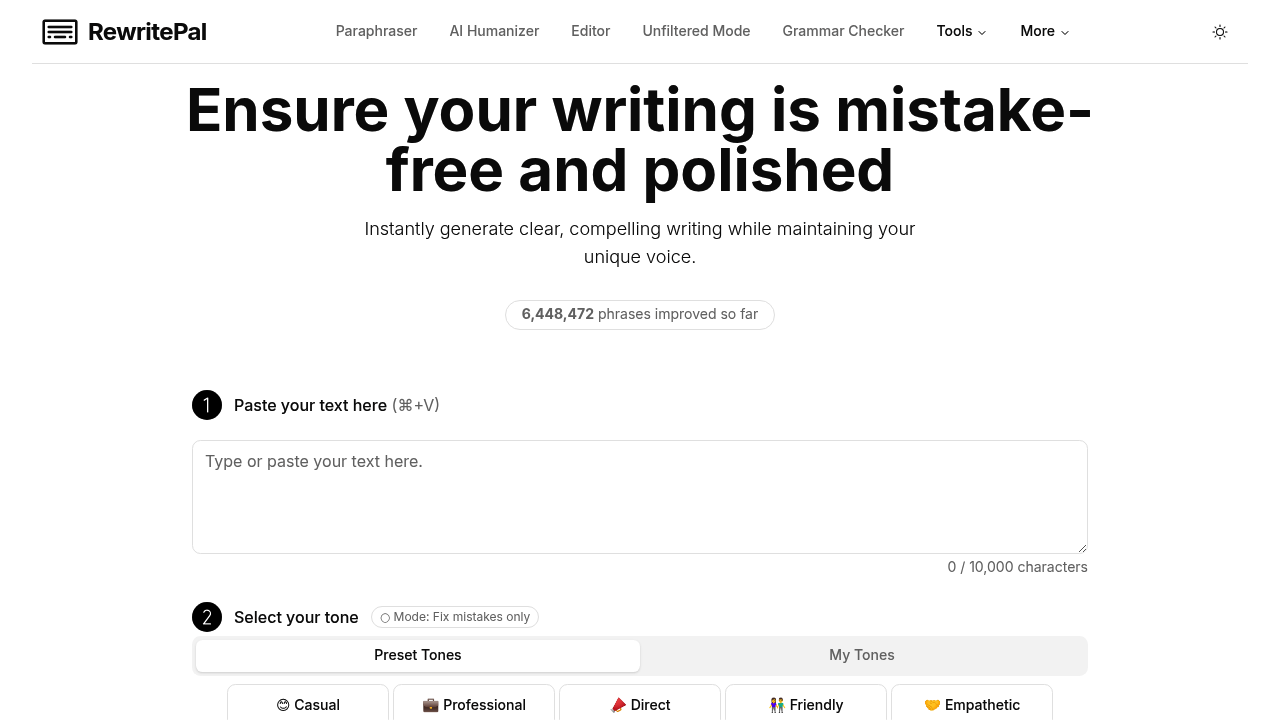
RewritePal is a free, browser-based AI paraphrasing and rewriting tool that handles up to 10,000 characters per request — one of the highest free limits available. It supports custom tone selection, multiple language options, and an "Unfiltered Mode" for uncensored rewriting. Built by an indie developer, RewritePal also includes a Chrome extension, a desktop app, an AI humanizer, and a grammar checker — all for free. Signup is not required for basic use. With 6.4M+ phrases improved, it's a lean but capable option for students, bloggers, and everyday writers.
📊 Fact Sheet
| Feature | Details |
|---|
| Pricing | Free (no paid plan found) |
| Signup required | No (for basic use) |
| Character limit (free) | 10,000 characters per request |
| Tone selection | Yes (multiple tones available) |
| Unfiltered Mode | Yes (unrestricted rewriting) |
| AI Humanizer | Yes (separate tool) |
| Grammar Checker | Yes (built-in) |
| Browser extension | Yes (Chrome) |
| Desktop app | Yes |
| Mobile app | Not confirmed |
| Discord / community | Reddit: r/RewritePal |
| Languages supported | Multiple (via language selector) |
| Phrases improved | 6,429,907+ (live counter) |
✅ Strengths
- 10,000-character free limit: Far above most competitors — equivalent to roughly 1,500-2,000 words, available completely free with no account needed.
- Tone & role control: Select a specific tone and assign a writing role before paraphrasing — useful for matching voice in professional, casual, or academic contexts.
- Chrome extension + desktop app: One of few free tools offering both browser extension and a standalone desktop app, enabling offline/on-device rewriting workflows.
- Unfiltered Mode: A separate paraphrasing mode without content restrictions — useful for edgy, mature, or creative writing that mainstream tools refuse to process.
- Integrated AI humanizer: Separate humanizer tool to transform AI-generated text into more natural human-sounding writing — useful for AI detection bypass workflows.
⚠️ Limitations
- Indie-built / limited support: Built by a solo developer — no dedicated support team. Bugs and feature requests handled via community feedback. Stability may vary.
- No clear pricing page: No paid plan found — unclear monetization model. May add limits or paywalls in the future without notice.
- Limited documentation: FAQ section is sparse; advanced features like "Impersonator" tool have minimal explanation.
- No mobile app confirmed: Desktop app available but no native iOS/Android app listed on the website.
- Community is small: Reddit r/RewritePal exists but has limited activity compared to established tools like QuillBot.
🎯 Best For
- Writers who need long-form paraphrasing (up to 10,000 chars) for free
- Users wanting tone-controlled rewrites (professional, casual, academic)
- Those needing an AI humanizer alongside a paraphraser in one platform
- Chrome users who want in-browser paraphrasing via extension
- Writers working with mature/creative content who need Unfiltered Mode
🔄 Look Elsewhere If You Need...
- Enterprise-grade reliability → QuillBot or Wordtune (established companies with support teams)
- Dedicated mobile app → QuillBot (iOS + Android) has a polished mobile experience
- Verified AI detection bypass → BypassGPT or Humanize AI explicitly target AI detectors
✍️ Rewriting Modes & Tools
- Paraphraser: Core tool — paste text, select tone/role/language, get rewritten content
- AI Humanizer: Converts AI-generated text to more natural human writing
- Unfiltered Mode: Removes content restrictions for creative/mature writing
- Impersonator: Rewrites content in the style of a specific person or persona
- Grammar Checker: Flags and fixes grammatical errors in written content
- Document Editor: Free AI-powered document editor for longer writing tasks
💰 Pricing
RewritePal appears to be fully free with no paid subscription plan currently listed. The site mentions a "Buy me a coffee" link suggesting donation-based support. The 10,000-character limit and all tool features are accessible without payment or signup.
| Plan | Price | Limit | Signup |
|---|
| Free | $0 | 10,000 chars | Not required |
🚀 Getting Started (3 Steps)
- Open RewritePal: Go to rewritepal.com — no account needed.
- Paste your text: Enter up to 10,000 characters, select your desired tone, role, and language.
- Get results: Click to paraphrase, view highlighted changes, and copy or export the output. Optionally run through the AI Humanizer for further polishing.
Chrome Extension: Install from the Chrome Web Store for in-browser rewriting without switching tabs.
🌐 Community & Support
❓ FAQ
Is RewritePal free to use?
Yes — RewritePal is free with a 10,000-character limit per request. No paid plan is currently offered.
Do I need to create an account?
No signup required for basic paraphrasing. Open the site and start immediately.
Can RewritePal bypass AI detection tools?
RewritePal includes an AI Humanizer tool designed to make AI-generated text sound more human. While it may reduce AI detection scores, it does not explicitly guarantee bypassing tools like Turnitin or GPTZero.
What is Unfiltered Mode?
Unfiltered Mode is a separate paraphrasing mode that removes content restrictions, allowing rewrites of mature, edgy, or controversial content that standard AI tools may refuse to process.
Is RewritePal open source?
Yes — the core project is available on GitHub at github.com/kpedrok/rewrite-pal, built by an indie developer.
Does RewritePal have a Chrome extension?
Yes — a Chrome extension is available for in-browser rewriting without navigating to the website.
What languages does it support?
Multiple languages via a language selector in the interface. The exact list of supported languages is not fully documented on the website.
📚 Sources