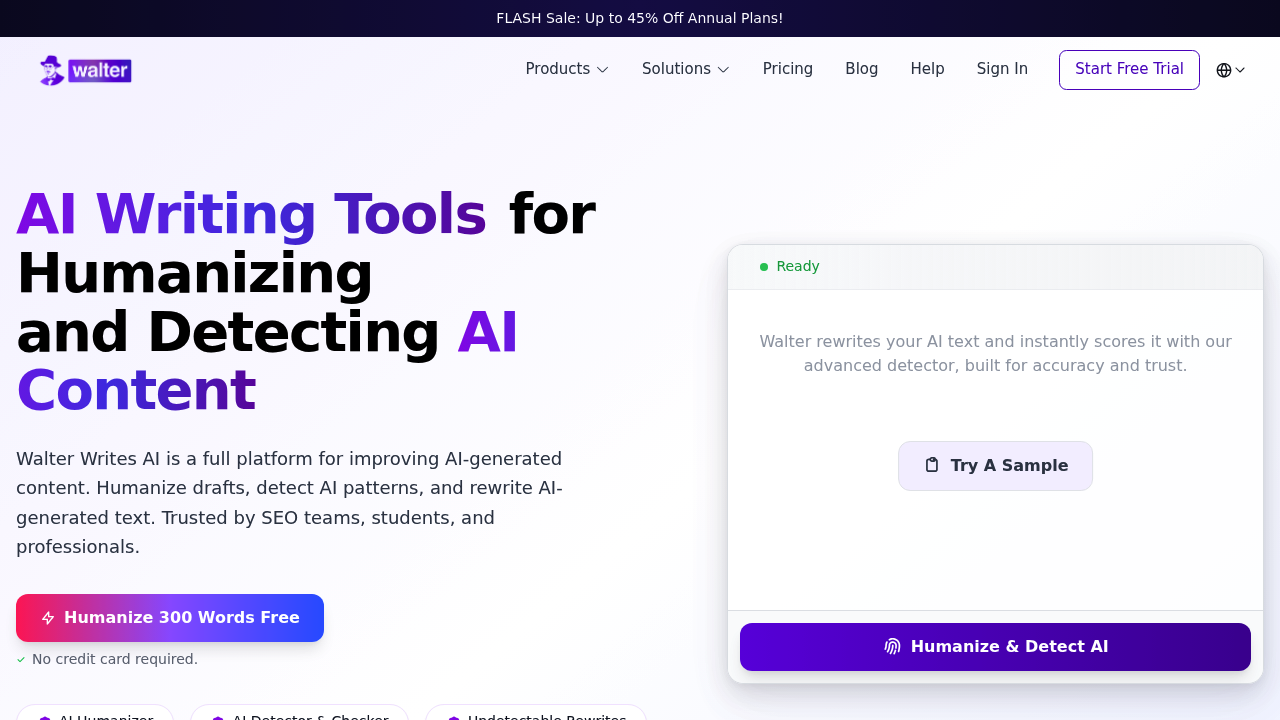
What Is Walter Writes AI?
Walter Writes AI is an advanced AI writing platform designed for teams, students, and professionals who need to humanize, detect, and rewrite AI-generated content. Unlike basic paraphrasing tools that simply swap synonyms, Walter Writes AI uses sophisticated natural language processing (NLP) to restructure AI-generated text at a deeper level — changing tone, rhythm, and flow so that the output reads as naturally human-written. This makes it especially valuable for avoiding AI detection by platforms like Turnitin, GPTZero, Copyleaks, and Writer.com. The tool operates on a freemium model with a free plan available and paid plans starting for those who need higher volume processing.
Getting Started
Walter Writes AI is fully browser-based and requires no software installation. Users create an account to access the dashboard, which presents a clean text editor interface. The free plan provides a daily word credit — enough to test the tool and process short pieces of content. Paid subscribers gain significantly higher word limits and the ability to process up to 1,700 words per request on the Unlimited plan. The platform is designed to be intuitive: paste or type your AI-generated content, select a mode, and receive a humanized output within seconds.
Core Features
- AI Humanizer: The flagship feature transforms AI-generated text into natural, human-sounding prose. The algorithm adjusts sentence structure, word choice, and stylistic patterns to eliminate the characteristic "AI rhythm" that detectors flag. Users report 90%+ pass rates when tested against major AI detectors.
- AI Detector: Built-in detection tool that analyzes text and provides a probability score for AI-generated content. Useful for checking your own writing or verifying source material before submission.
- Paraphrasing Modes: Multiple rewriting modes including a standard mode and an enhanced mode that focuses on improving flow and cohesion rather than just synonym replacement.
- Bulk Processing: Higher-tier plans allow processing longer documents in a single request, making it suitable for agencies and content creators working at scale.
- Plagiarism-Free Output: The rewording process produces unique text that avoids duplicate content issues, important for academic submissions and SEO content.
How to Use Walter Writes AI — Step by Step
Using Walter Writes AI for paraphrasing and humanization is straightforward. First, navigate to walterwrites.ai and sign up for a free account. Once logged in, you will see the main editor interface. Paste your AI-generated or existing text into the input field — the free plan supports shorter texts, while paid plans handle much longer documents. Next, select your preferred mode: standard for quick rewording, or enhanced for a deeper stylistic transformation. Click the humanize or rewrite button and within seconds you will see the transformed output appear on the right side of the screen. Review the output for accuracy and meaning preservation. If needed, you can run the output through the built-in AI detector to verify it passes detection before using it in your final work. For best results, use the enhanced mode on content that will be submitted to academic or professional systems with strict AI policies.
Best Practices
Walter Writes AI performs best when used as an editorial partner rather than a content disguise tool. For academic writing, start with your own ideas and use the humanizer to polish the prose rhythm rather than passing fully AI-generated essays. Break long documents into sections if you are on a lower-tier plan — this produces more consistent output quality. Always review the humanized text for factual accuracy, as the NLP rewording process occasionally restructures sentences in ways that slightly alter technical meaning. For marketing copy, the enhanced mode tends to preserve brand voice better than basic synonym-swapping alternatives.
Pros and Cons
Pros: High detection bypass rate (90%+ in independent tests); clean, professional interface; built-in AI detector removes the need for a separate tool; freemium model allows free testing; active product development with regular updates; multiple plan tiers suit individual users through enterprise teams.
Cons: Free plan has a limited daily word credit; the Unlimited plan at $56/month may feel costly for casual users; occasional factual restructuring requires manual review; primarily focused on English-language content; effectiveness may decrease as AI detectors update their algorithms.
What Users Are Saying
The community response to Walter Writes AI has been notably positive in specialized subreddits. On r/BypassAiDetect, users report that the tool "consistently passes every major detector — Turnitin, GPTZero, Copyleaks, even Writer.com's internal one." Others on r/humanizeAIwriting praise the enhanced mode for improving "flow and cohesion instead of just rewording sentences," describing it as more like having a stylistic coach than a simple spinner. The tool has attracted attention from students, marketers, and content agencies who need reliable, scalable humanization. Community discussions: Reddit — BypassAiDetect review thread.
Summary
Walter Writes AI is a purpose-built AI humanization and paraphrasing platform that stands out for its high detection bypass rate and all-in-one suite combining humanization, detection, and rewording tools. Available on a freemium model with paid plans from Starter through Unlimited ($56/month), it targets students, professionals, and content agencies who need AI-generated text to read as naturally human-written. For anyone working in a space where AI detection is a concern, Walter Writes AI offers one of the more technically capable solutions on the market today.